Skip to content
Table Of Contents
Course Builder
Dashboard
Reports
LMS Instructor
Learning Management System (LMS)
Instructor Login :
Course Builder:
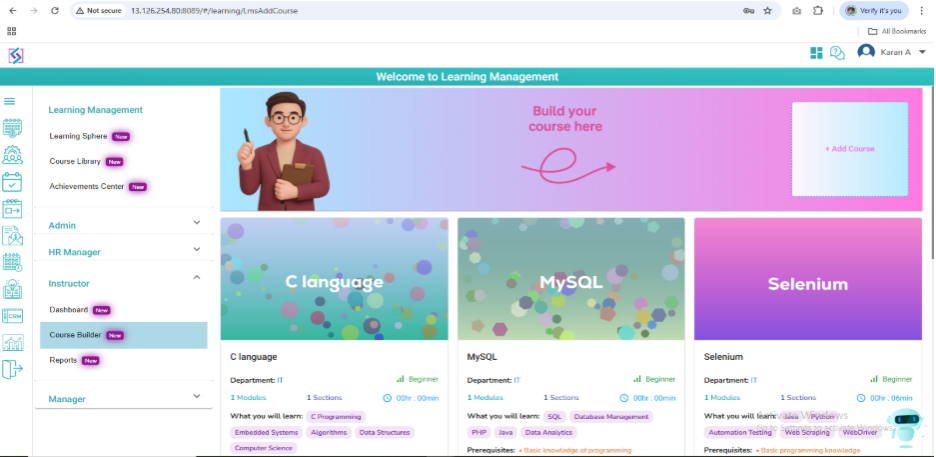
In Course Builder all the courses will be displayed with Add Course button.
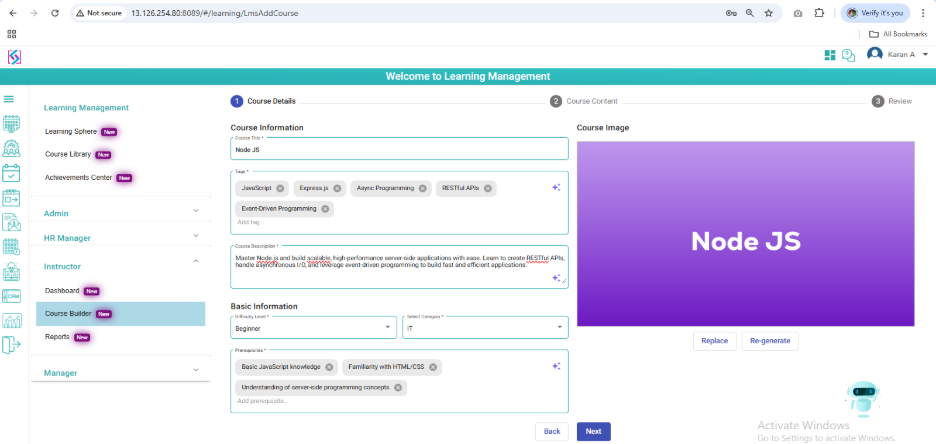
On click Add course button, Instructor will add course details( Course Title, Tags, Course Description, Difficulty level, Category, Prerequisites, Course Image)
On click Next button, Course Content Page will be displayed. Instructor will add Module, Section and content.
On click Next, Review Page will be displayed. On click Submit Course, Course will be saved.
Dashboard:
In Instructor dashboard, Courses Overview, Leader Board, Progress, Badges Earned by Category, Recommended courses will be displayed.
Reports:
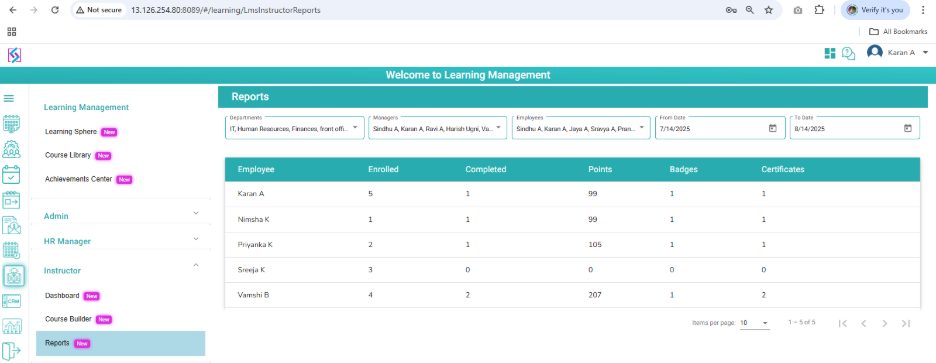
In Reports, Employees enrolled, completed, Badges, Points, Certificates count will be displayed.
+91 9100052055
sales@spryple.com
Log In
Request A Demo